There are three different types of loan statistics reports available depending on how your system is configured.
Note: The availability of the following reporting options is determined by your library's configuration of loan tracking and loan counting.
Loan Statistics Reports
- Decide which report will best suit your requirements.
- Apply and experiment with filters and parameters as required.
Loan Statistics (Anonymous)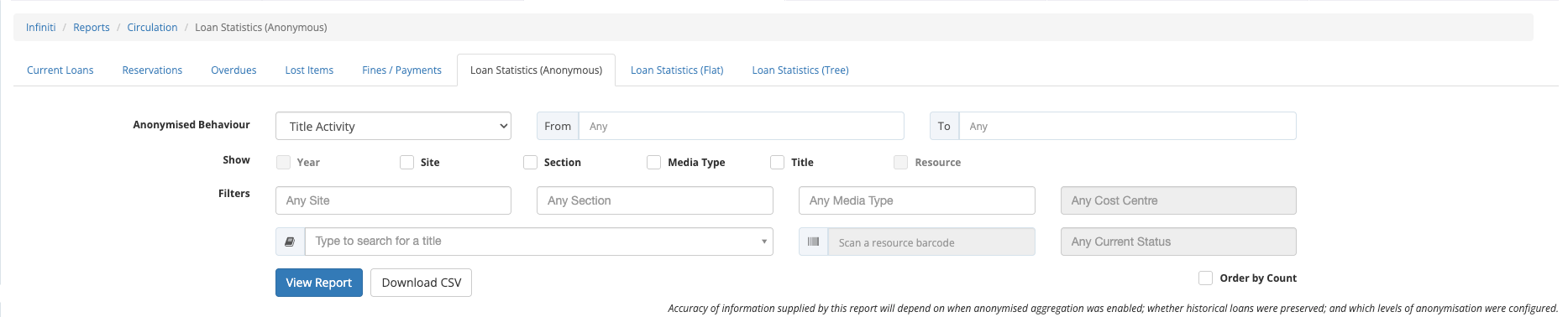
This report allows you to review circulation activity by retrieving your historical loans.
- Choose the filters to apply by setting dates and choosing options from drop down lists.
 to generate your report.
 if required.
 - Repeat Step 2 to Step 3 as required.
Loan Statistics (Flat)
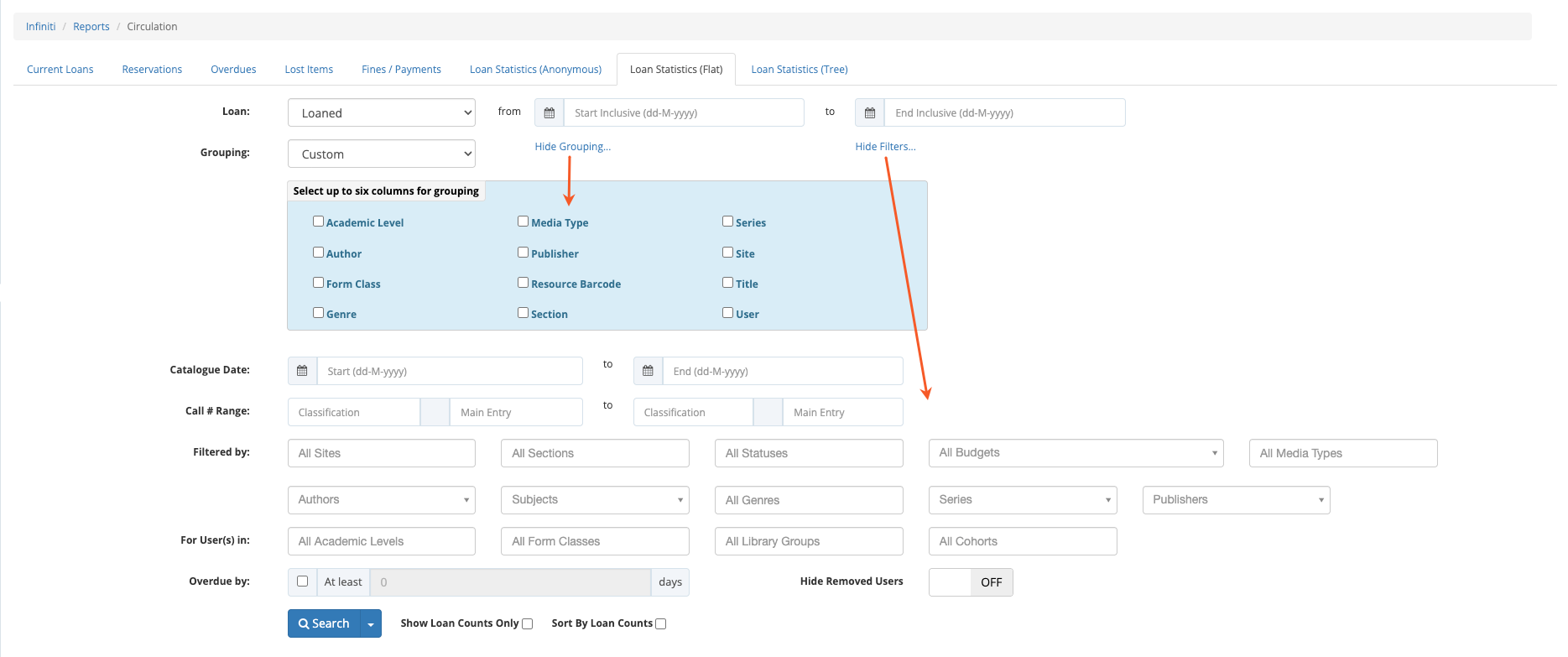
This report allows you to review circulation activity by retrieving your historical loans.
 to retrieve all circulation history.
 to expose the available filters.
- Choose the filters to apply by setting dates and choosing options from drop down lists.
 to expose data grouping possibilities.
- Choose the grouping to apply by checking data types.
- to refine your previous results.
- Set other options as required.
- Repeat Step 2 to Step 6 as required.
- Report options:
 - save this a favourite report. Note: Click arrow on the search button to list saved favourite reports.
  - send the items listed to bulk update.
 - export to Excel as CSV.
Loan Statistics (Tree)
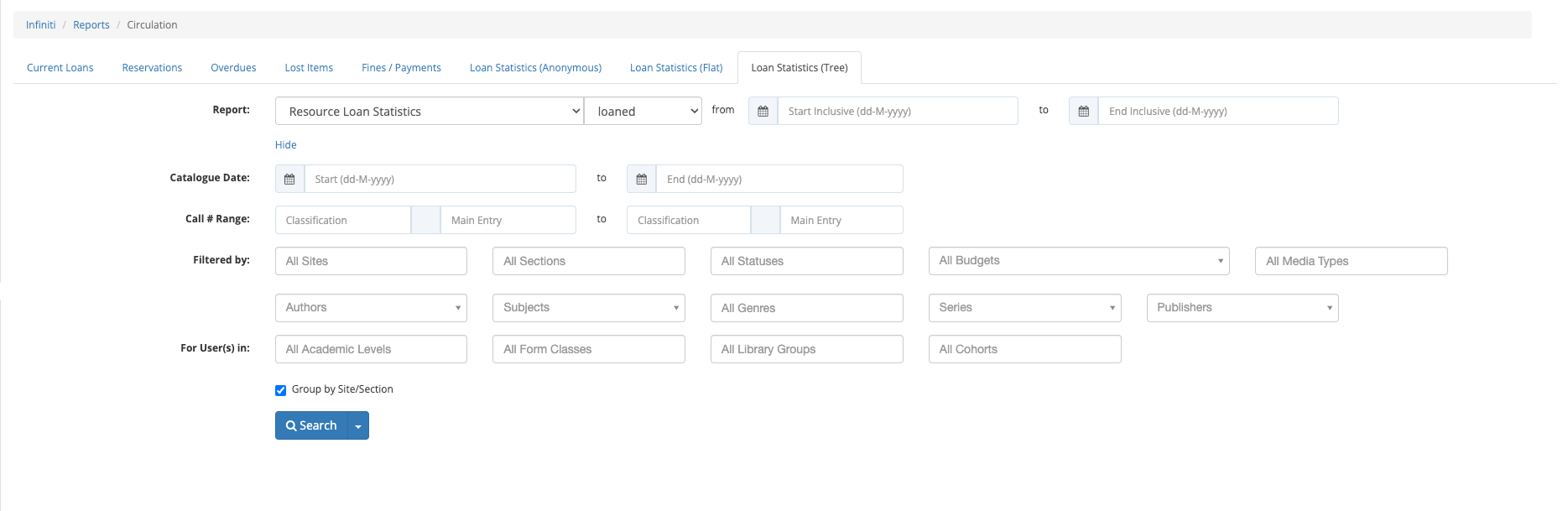
This report allows you to review circulation activity by drilling down into your historical loans.
- to retrieve all circulation history.
- to expose the available filters.
- Choose the filters to apply by setting dates and choosing options from drop down lists.
- to refine your previous results.
- Repeat Step 3 and Step 4 as required.
- Report options:
- - save this a favourite report. Note: Click arrow on the search button to list saved favourite reports.
- - send the items listed to bulk update.
 - print to PDF.
 - print to Word.
 - print to Excel.
- - export to Excel as CSV.